Introducing ACR Pulse: A Unified View of Your Organization’s ACR Engagement

Created by Priya Sharma, Modified on Wed, 8 Apr at 1:38 PM by Priya Sharma

What Is ACR Pulse?

ACR Pulse is a secure, centralized platform that provides your organization with a comprehensive view of its participation in American College of Radiology (ACR) programs. Designed for both single facilities and multi-site organizations, ACR Pulse brings together accreditations, registries, ARCH-AI, and Assess-AI into one intuitive, easy-to-navigate interface.


In its initial release, access to ACR Pulse is limited to one designated Point of Contact (POC) per organization.


Future releases will expand access, allowing the POC to grant permissions to additional team members, enabling collaboration while maintaining oversight, security, and control.


Why ACR Pulse Matters to Your Organization

ACR Pulse is more than a dashboard; it’s a strategic tool that helps your organization operate with clarity, confidence, and continuity.


With ACR Pulse, you can:

  • Gain Organization-Wide Visibility
     View and download detailed information about your organization’s participation in ACR programs across all facilities.
  • Streamline Oversight
     Monitor accreditation status, registry participation, and AI initiatives from a single, centralized location.
  • Maintain Accountability in a Changing Workforce
     Stay informed about who has access and who is responsible for accreditation-related activities. ACR Pulse supports continuity and compliance by providing transparency into roles and responsibilities, even as staff transitions occur.
  • Support Compliance and Strategic Planning
     Track key deadlines and expiration dates to ensure timely renewals and avoid lapses in accreditation.
  • Customize and Share Insights
     Filter data by program, modality, facility, user, and more. Download Tableau reports and easily share insights with stakeholders who need access to the most current information.


Key Features

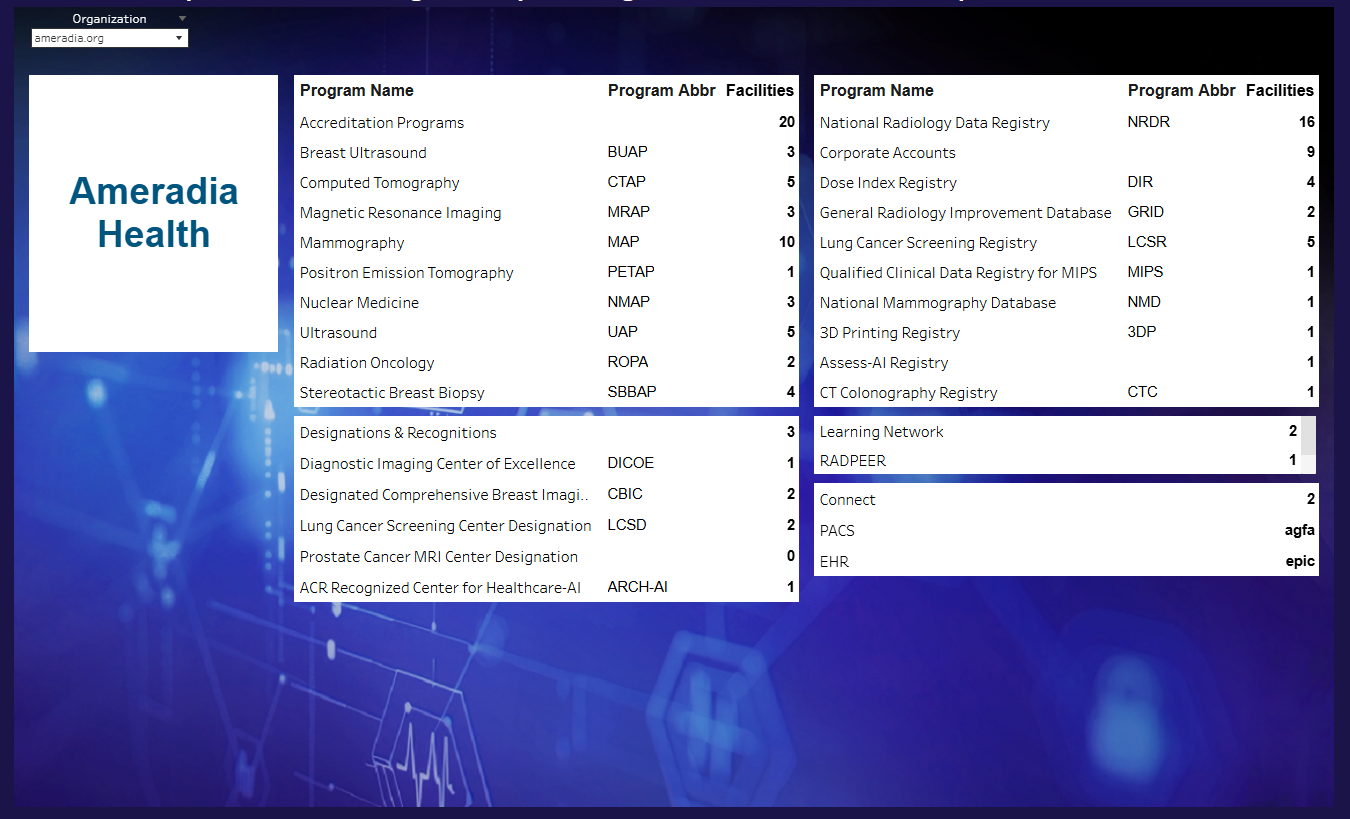
1. Summary View

Get a high-level snapshot of your organization’s engagement with ACR, including:

  • Accreditations
  • Registries
  • Recognitions and designations
  • Participation in AI programs such as ARCH-AI and Assess-AI

This view enables leadership and administrators to quickly assess overall status and performance across facilities.


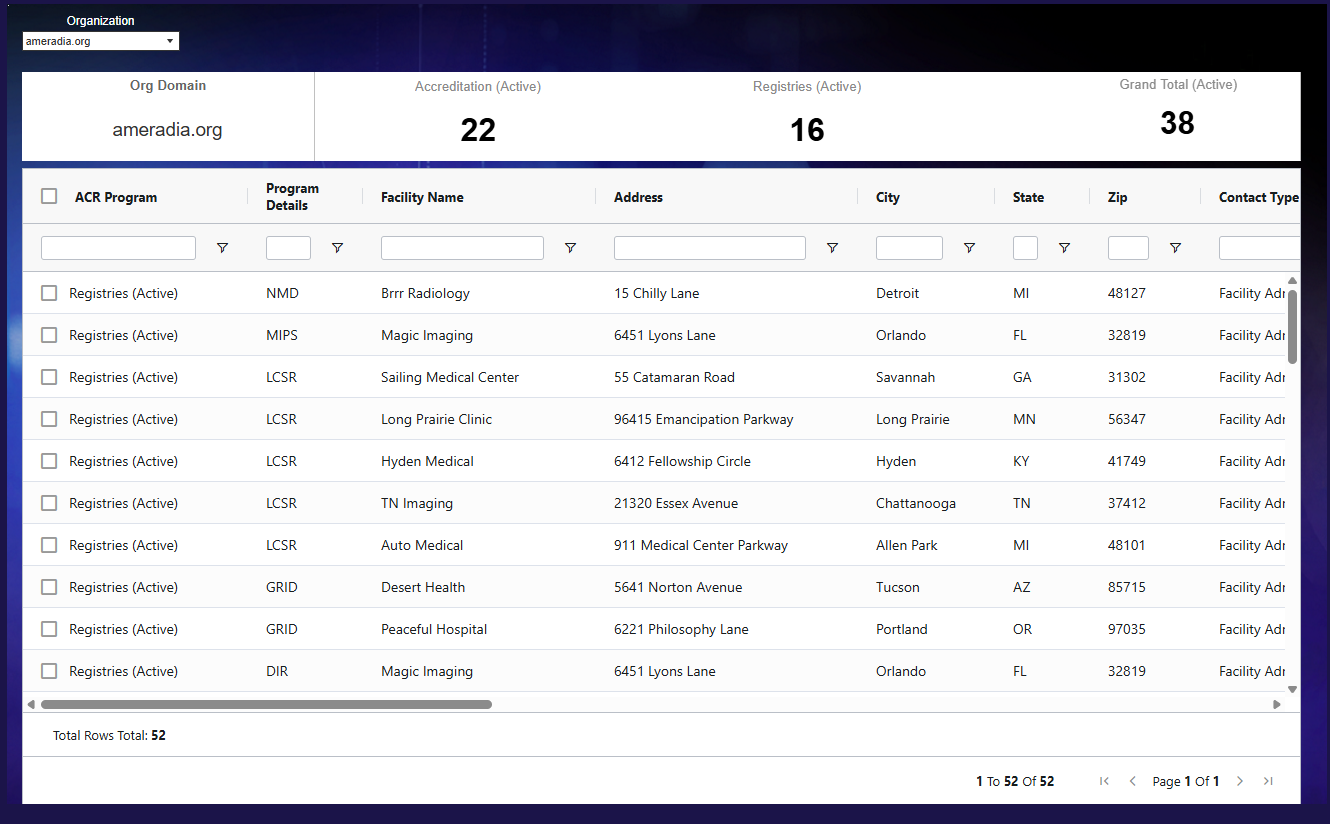
2. Tableau View

Explore detailed, interactive data through a Tableau-powered interface, featuring:

  • Facility-specific information
  • Facility administrators and modality login users
  • Accreditation expiration dates

This view is ideal for operational teams who need actionable, day-to-day insights to manage accreditation and program participation.


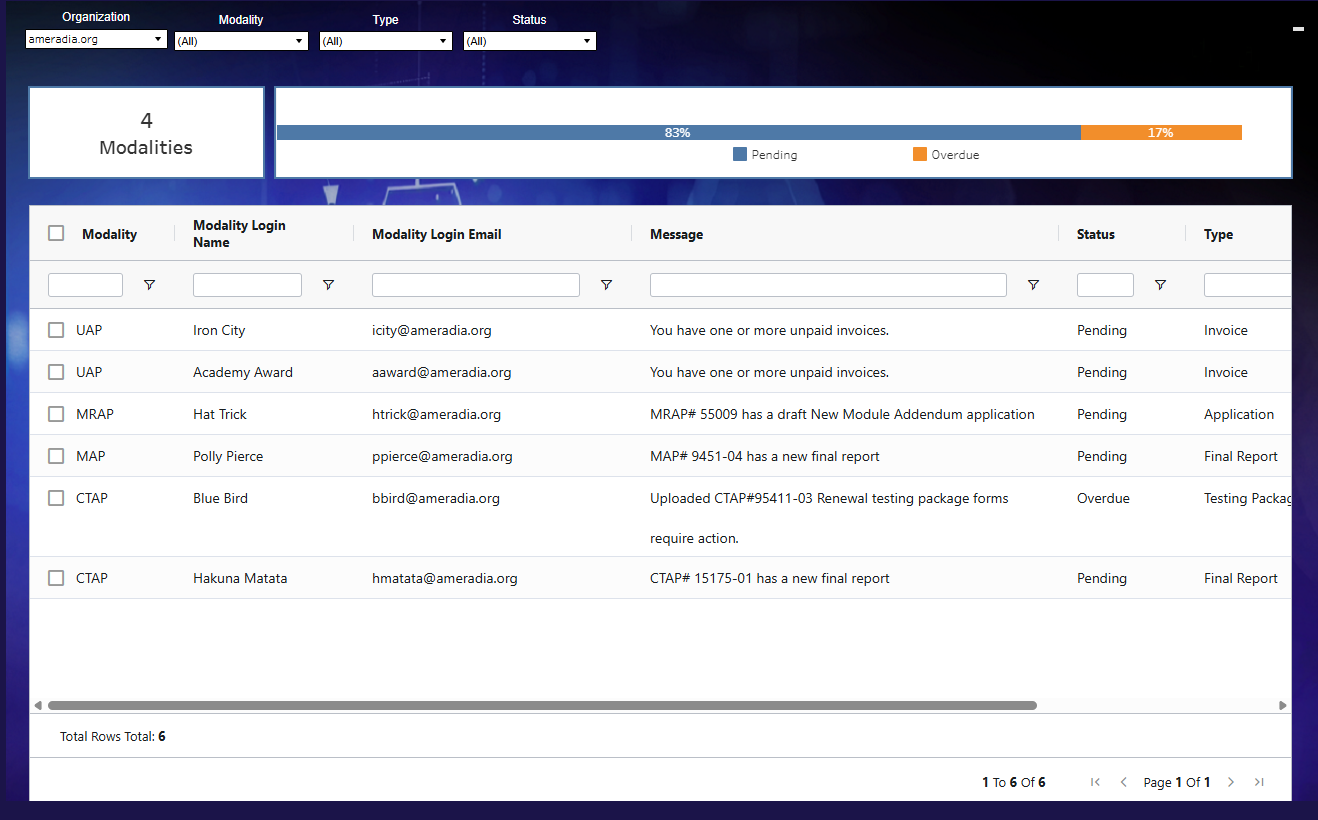
3. Accreditation Alerts

Stay ahead of critical deadlines—without the guesswork.

  • View upcoming and overdue accreditation deadlines in one centralized location
  • Includes alerts for renewals, testing package due dates, outstanding invoices, survey agreements, and more
  • Clearly see what’s due, what’s coming up, and what’s overdue
  • Reduce the risk of missed deadlines and accreditation delays
  • Enable proactive planning and timely compliance actions


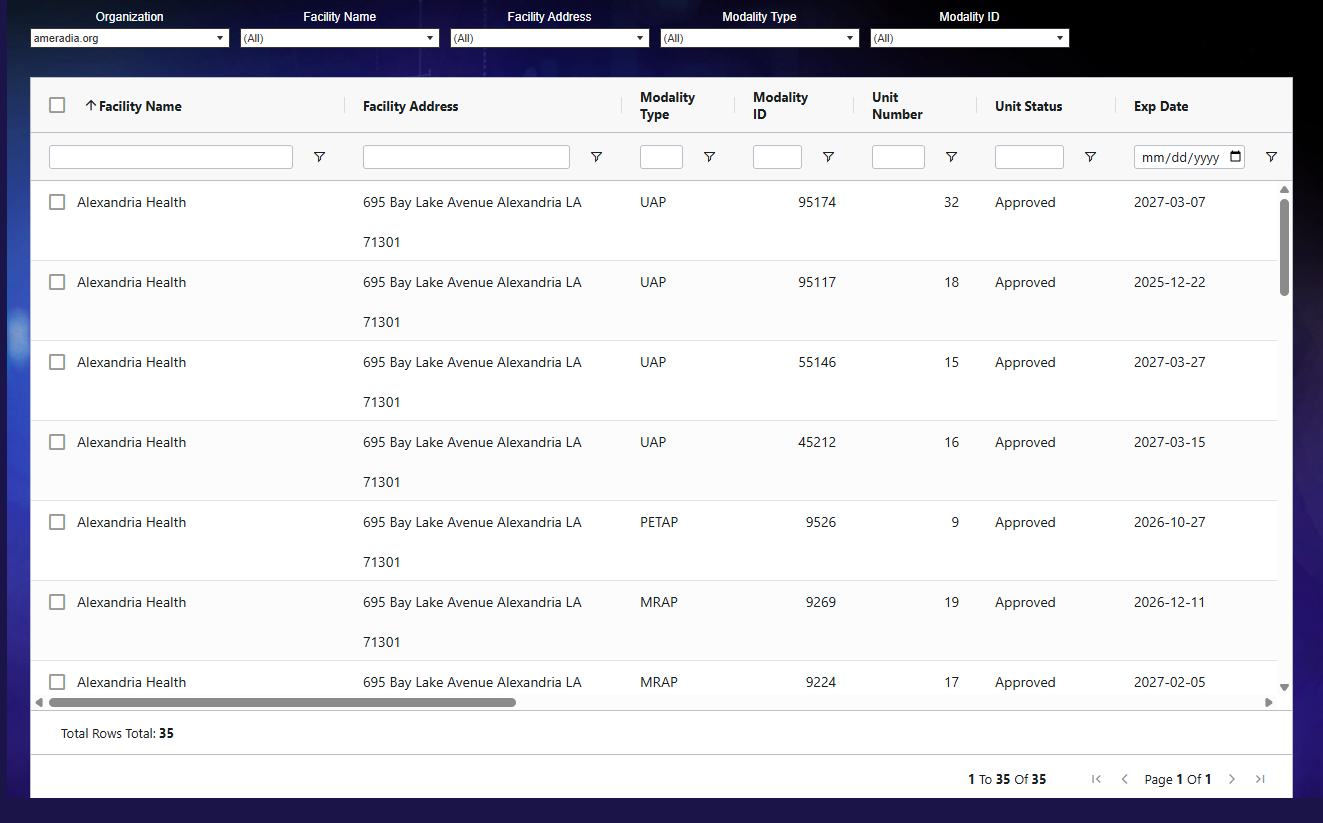
4. Accreditation Unit Information

Access detailed accreditation information across all modalities with ease.

  • View accreditation unit details for every modality in one place
  • See associated modules and patient types for each unit
  • Track unit-specific expiration dates
  • Simplify monitoring across multiple units
  • Support accuracy, readiness, and efficient renewal planning


Shaping the Future of ACR Pulse—Together

ACR Pulse is continuously evolving, and your feedback plays a vital role in shaping its future. We are actively working to expand features and refine functionality to better support your organization’s needs.


Your input helps us:

  • Prioritize new capabilities
  • Improve usability
  • Ensure ACR Pulse delivers maximum value to your organization


Get Started

Interested in learning more about ACR Pulse or participating in its ongoing development?
Please contact Pulse Support for additional information and next steps.

Was this article helpful?

That’s Great!

Thank you for your feedback

Sorry! We couldn't be helpful

Thank you for your feedback

Let us know how can we improve this article!

Select at least one of the reasons
CAPTCHA verification is required.

Feedback sent

We appreciate your effort and will try to fix the article